




Kipumi doesn't just remember your day. It helps you run it.
A tiny night-sky companion that remembers for you, and plans your day with you.
First on iPhone, coming soon to the App Store. Planned: Android, Mac, Windows, and Linux.
Say it the way you'd say it.
No forms. Kipumi works out what you meant and shows you before anything is done.
Remind me to call mum tomorrow at 6pm
Remindercall mumTomorrow · 18:00Need milk and eggs
List itemmilkeggsOn ShoppingWhat do I have tomorrow?
Ask KipumiAnswers with what tomorrow holds
Your whole day in one place.
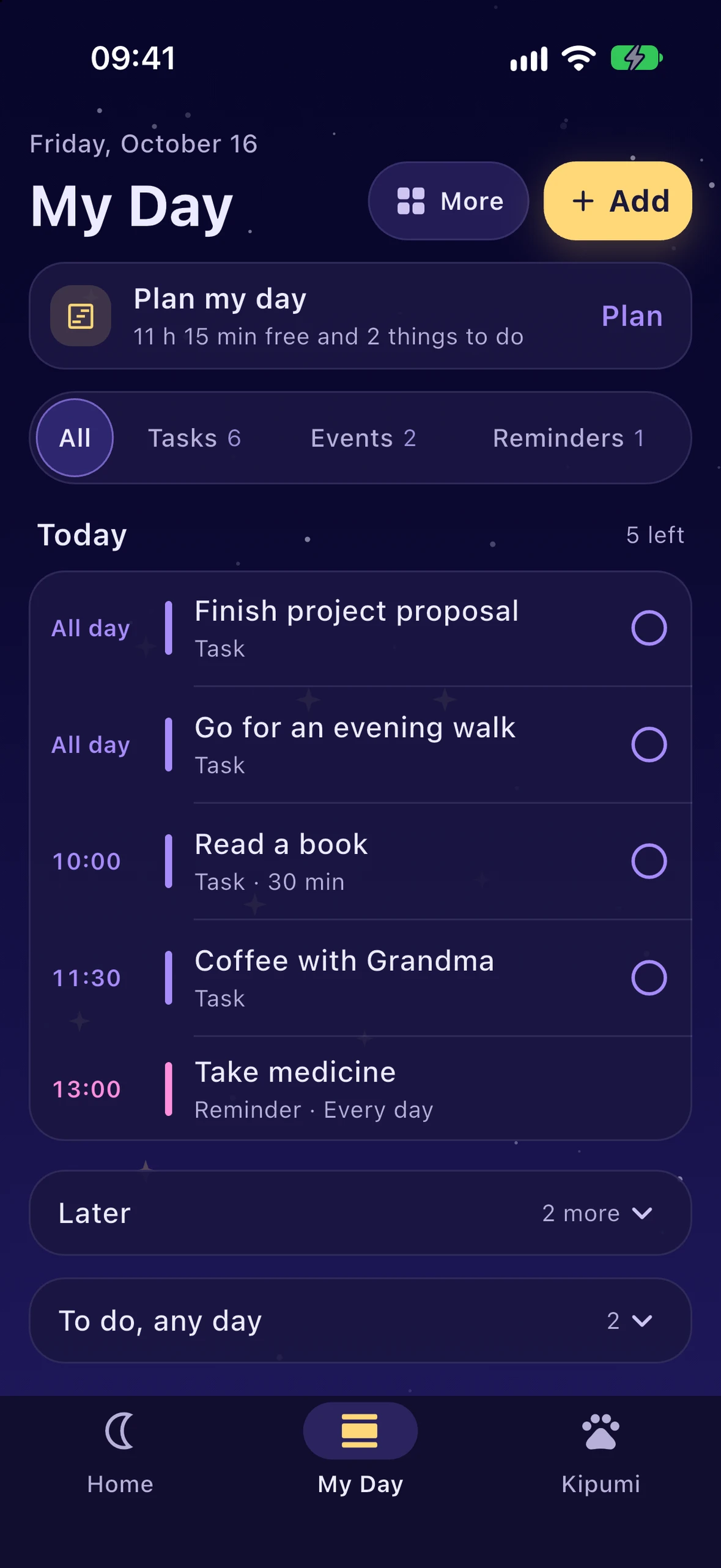
Your calendar, tasks and reminders on one calm timeline. Tick something off and Kipumi is glad with you.
Today
5 left- All dayFinish project proposalTask
- All dayGo for an evening walkTask
- 10:00Read a bookTask · 30 min
- 11:30Coffee with GrandmaTask
- 13:00Take medicineReminder · Every day
Nothing of this kind today.

A preview of My Day, with the app's own example day.
A companion, not a taskmaster.
Kipumi never scolds you. Nothing is ever overdue: what's left simply moves on to tomorrow. And the reminders you set always come.

Warm and encouraging.
Hi hi! I was hoping you’d say hello.
Wake up to your day, told kindly.
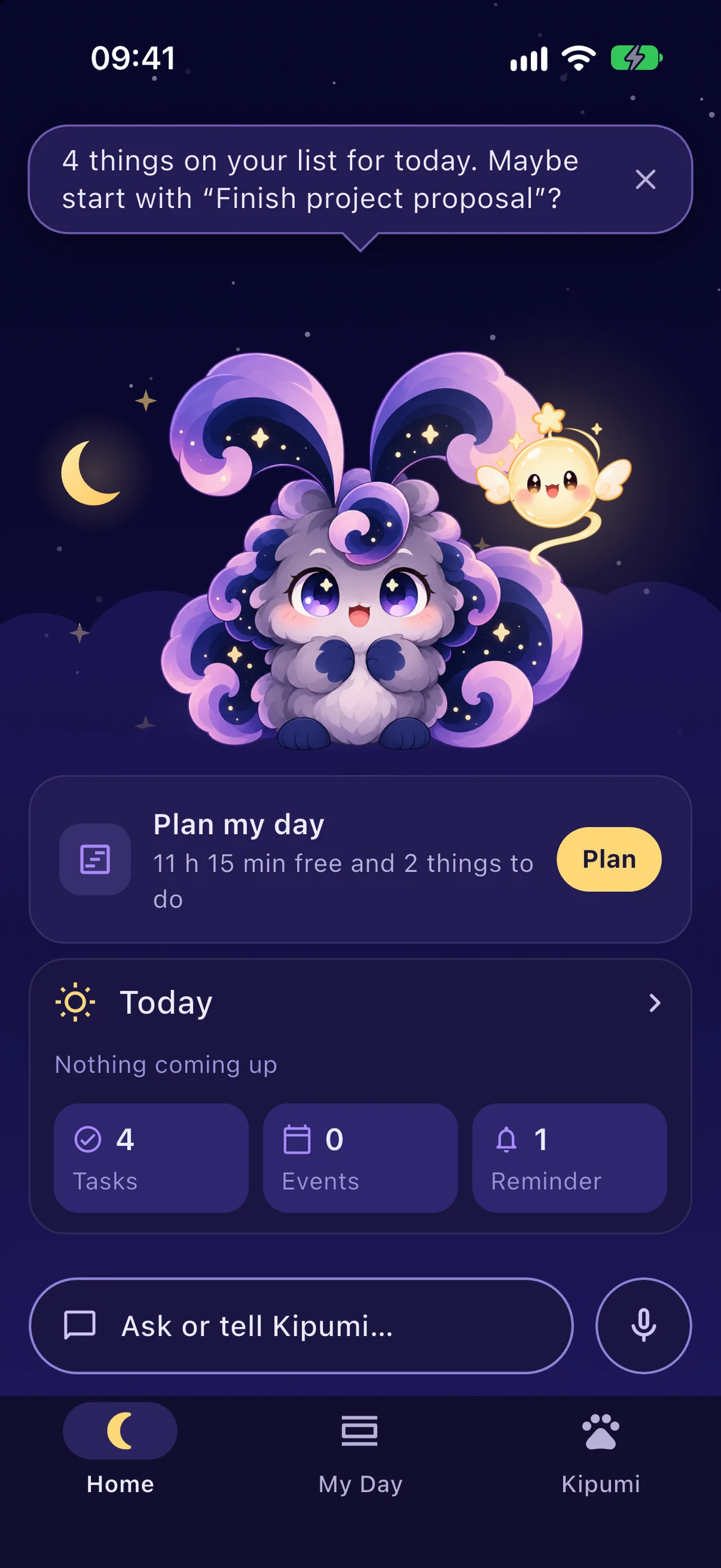
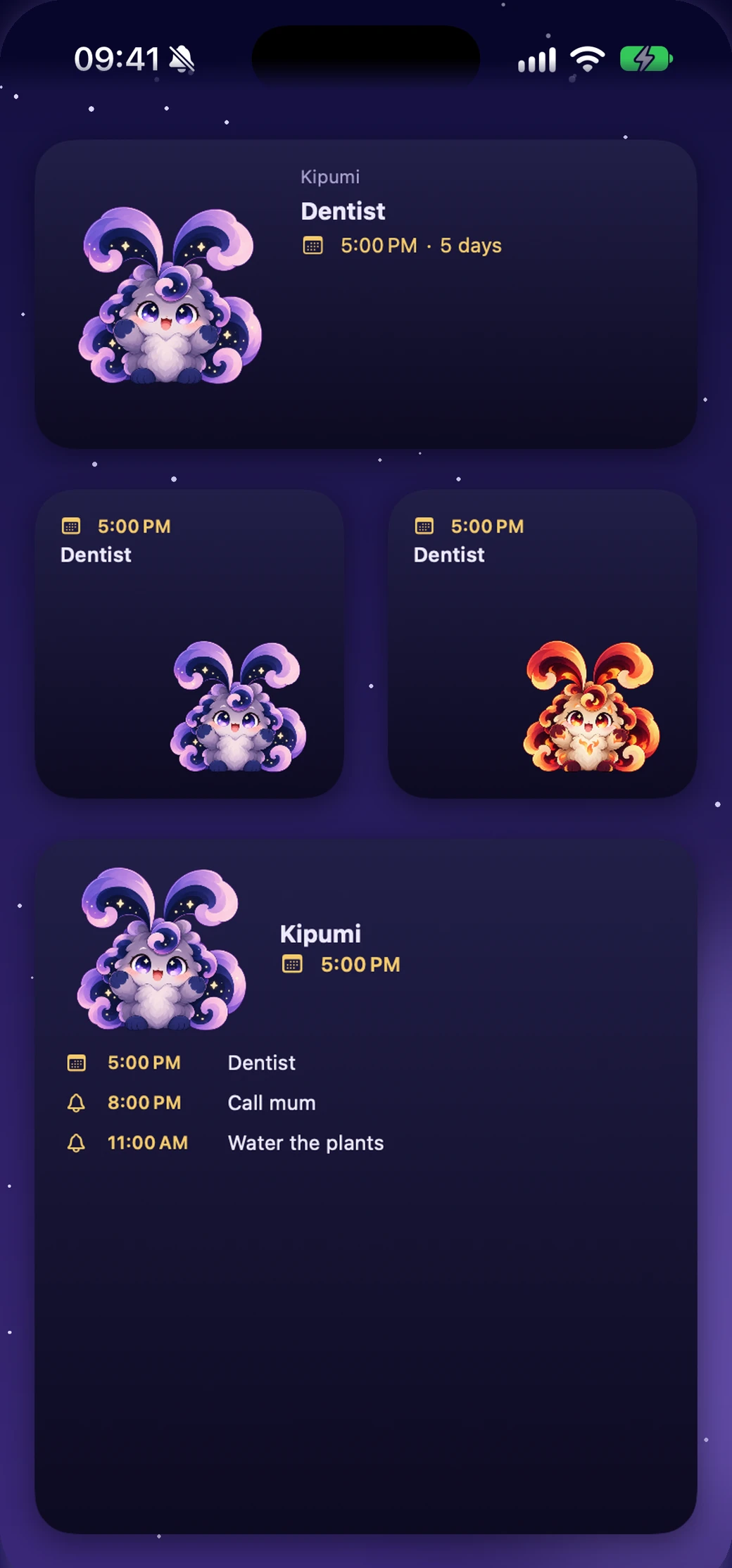
Each morning Kipumi tells you what today holds: the first thing in your calendar, what there is to do, the birthdays coming up. What's next waits on your Home Screen and Lock Screen too.
“Good morning, sunshine. Let’s make today a gentle one.”
Make Kipumi yours.
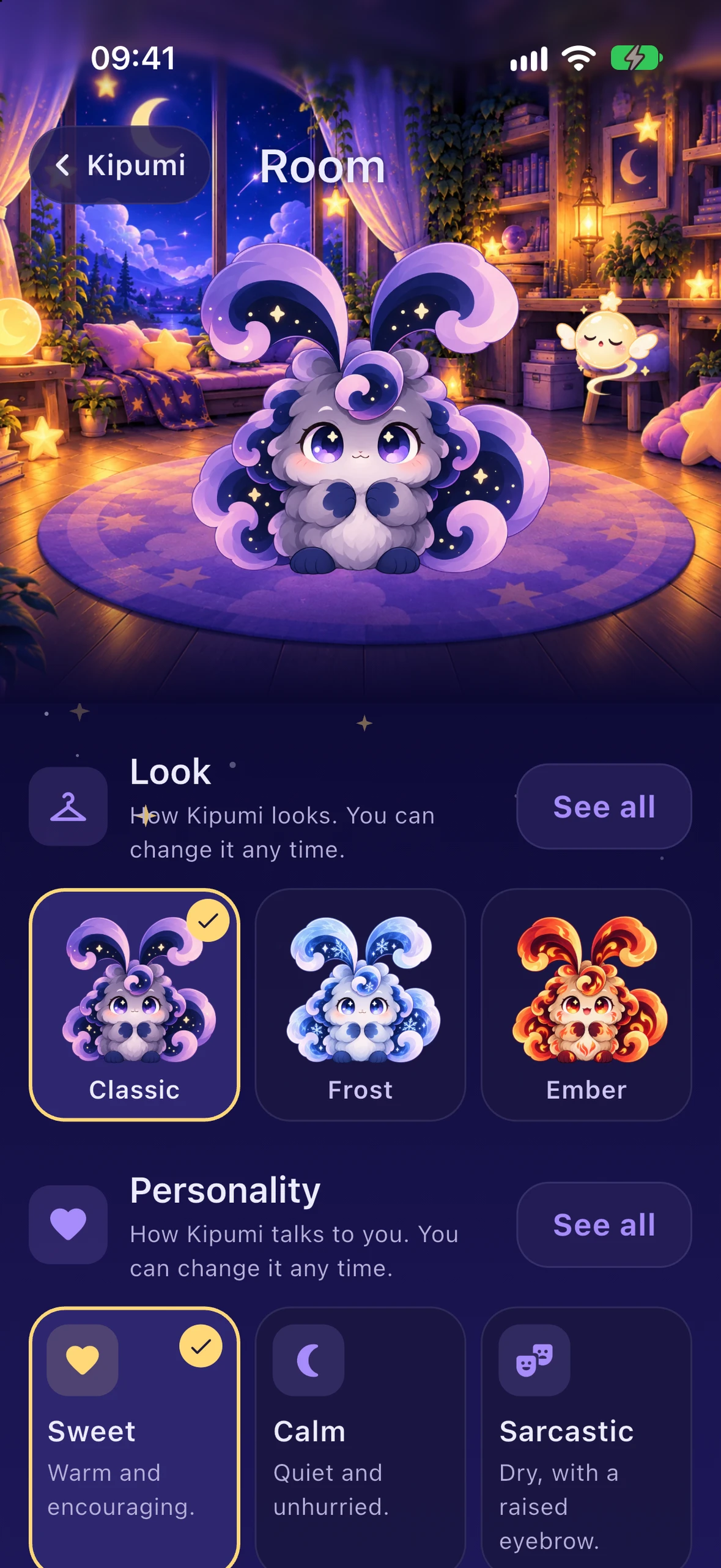
Give Kipumi a name, choose how it talks to you, and dress it in a painted look in its cozy room.
 Classic
 FrostPlus
 EmberPlus
 ShadowPlus
 CosmicPlus
Private by design.
- No account. You never sign up or log in.
- Everything you tell Kipumi stays on your device.
- Your calendar is only read, never changed.
- Kipumi asks before sending even anonymous usage counts or crash reports, and each has its own switch.
Kipumi Plus, when you want more.
Kipumi is useful without it, and the reminders you set are never limited. Plus adds:
- Kipumi plans with you: replan from now when the day changes, plan tomorrow, and adjust the blocks
- Your whole week, looking back and ahead, and an evening recap
- Reminders that wait for you at a place
- Repeats your way, reminders that keep coming until you answer, and "running late" in one tap
- Bigger widgets, unlimited lists, routines, projects and memories
- Two more voices and the painted looks
Monthly or yearly, with a free trial for new subscribers where offered. Prices are shown in the store.
Wherever your day happens.
Kipumi starts on iPhone and is coming to every device you use.
- iPhoneComing sooniOS 17 or later
- AndroidPlanned
- MacPlanned
- WindowsPlanned
- LinuxPlanned
Questions
Is Kipumi free?
Yes. Kipumi is free to download and use, with reminders, tasks, your calendar, lists and Kipumi itself. Kipumi Plus is an optional subscription for more.
When can I get it?
Kipumi comes first to iPhone (iOS 17 or later), soon on the App Store. Android, Mac, Windows and Linux are planned.
Do I need an account?
No. There is no account, and everything you tell Kipumi stays on your device.
Will Kipumi nag me?
Never. Nothing is ever overdue; what you don't finish simply moves on. On its own, Kipumi brings things up a few times a day at most, and you choose how it talks to you.
Which languages does Kipumi speak?
English and Lithuanian, in the app, in its notifications and in what it understands.

Goodnight from Kipumi.
Tell it what's on your mind tonight. It will remember, and it will be there in the morning.
Coming soon on iPhoneFirst on iPhone, coming soon to the App Store. Planned: Android, Mac, Windows, and Linux.